Seat a Guest, Open a Check: Make a Rezzy Works with Square
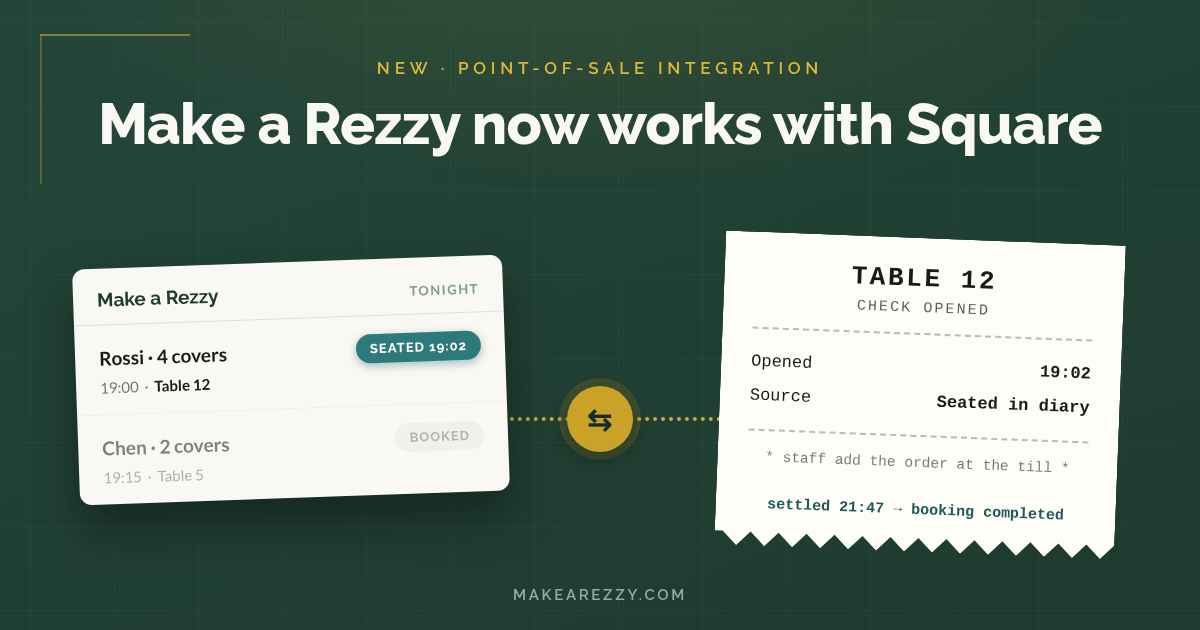
If you have ever watched a busy Friday service from the pass, you have seen the routine: the host seats table 12 in the booking diary, then someone walks to the till and keys in table 12 again so the kitchen can start ringing up drinks. Two systems, one table, twice the typing — and at the end of the night, someone still has to go back through the diary and tidy off every table that has paid and gone.
From today, Make a Rezzy works with Square, and that routine goes away.
The gap between the diary and the till
Your booking diary knows who is coming, when, and where they are sitting. Your till knows what they ordered and when they paid. In most restaurants those two systems never speak, so your team spends service acting as the messenger between them — opening checks by hand, and closing bookings by hand.
Neither job is difficult. Both are constant. And on a full Saturday, "constant" is exactly the kind of work that gets missed: a check opened on the wrong table, a finished booking still showing as seated at 11pm, a diary that no longer matches the room.
Seat a guest, and the check opens itself
Once your Square account is connected, marking a booking as Seated in Make a Rezzy opens a check on Square for that table, named after the table. Your floor staff pick it up at the till and start adding the order straight away — nobody keys the table in twice, and the first round of drinks is on the bill sooner.
Settle the bill, and the diary tidies itself
It works in the other direction too. When the check is paid and closed on Square, Make a Rezzy marks the booking as Completed. The table frees up on your floor plan, your diary matches the room, and nobody spends the end of service clicking finished bookings off the screen.
What stays where
We have kept the integration deliberately small: Make a Rezzy looks after the diary, Square looks after the bill, and the integration is the bridge between them.
- Payment stays on Square. The bill, tips, and card handling never leave your till, and Make a Rezzy never sees payment details.
- Bookings stay in Make a Rezzy. Opening a check directly on the till does not create or change a booking — the link starts when you seat a guest in your diary.
- Your menu, prices, and Square setup are untouched. Nothing about how you have Square configured needs to change.
What it costs
The integration is included with Make a Rezzy at no extra charge, and our pricing stays as it is: no subscription, £1 per cover booked. We do not sit anywhere in the payment flow, so your arrangement with Square — including your card fees — is unchanged.
Getting connected
You will need a Square account with at least one location, admin access to Make a Rezzy, and tables set up on your floor plan. Connecting takes a couple of minutes, and the step-by-step is in our help centre:
Already on Make a Rezzy and running your tills on Square? You can connect today. Not with us yet? Have a look at our page for restaurants that use Square, or email us at support@makearezzy.com and we will walk you through it.
Square is a trademark of Block, Inc. Make a Rezzy's integration with Square is built and supported by Make a Rezzy; this post is not sponsored by or affiliated with Block, Inc.