Your Explore page is the operator-customisable booking flow on Make a Rezzy — the page where a guest picks a date and a time and reserves a table or books an event. It sits alongside your detail page (your full profile, with photos, menus, and reviews), and this article explains the difference, where each one lives, and where the Explore page fits in your set-up.
Your two pages on Make a Rezzy
Every restaurant has two customer-facing pages on Make a Rezzy:
-
Your detail page at
www.makearezzy.com/business/<your-slug>/— a full profile with your hero image, description, menus, opening hours, contact details, events, and reviews. This is the page diners discover via Make a Rezzy's restaurant directory and via search engines, and it is the page operators see in manage.makearezzy.com under Customer Site in the left-hand menu. -
Your Explore page at
www.makearezzy.com/explore/<your-slug>/— a streamlined booking surface where the guest picks date, party size, and time. It uses the colours, fonts, and images you set in the Explore configurator, so it can be styled to match your own website. Operators see it in manage.makearezzy.com under View Explore Page.
Both pages take real table and event bookings and land them in the same diary. The detail page is your marketing surface; the Explore page is your branded booking flow.
What the Explore page does
The Explore page is built around three things:
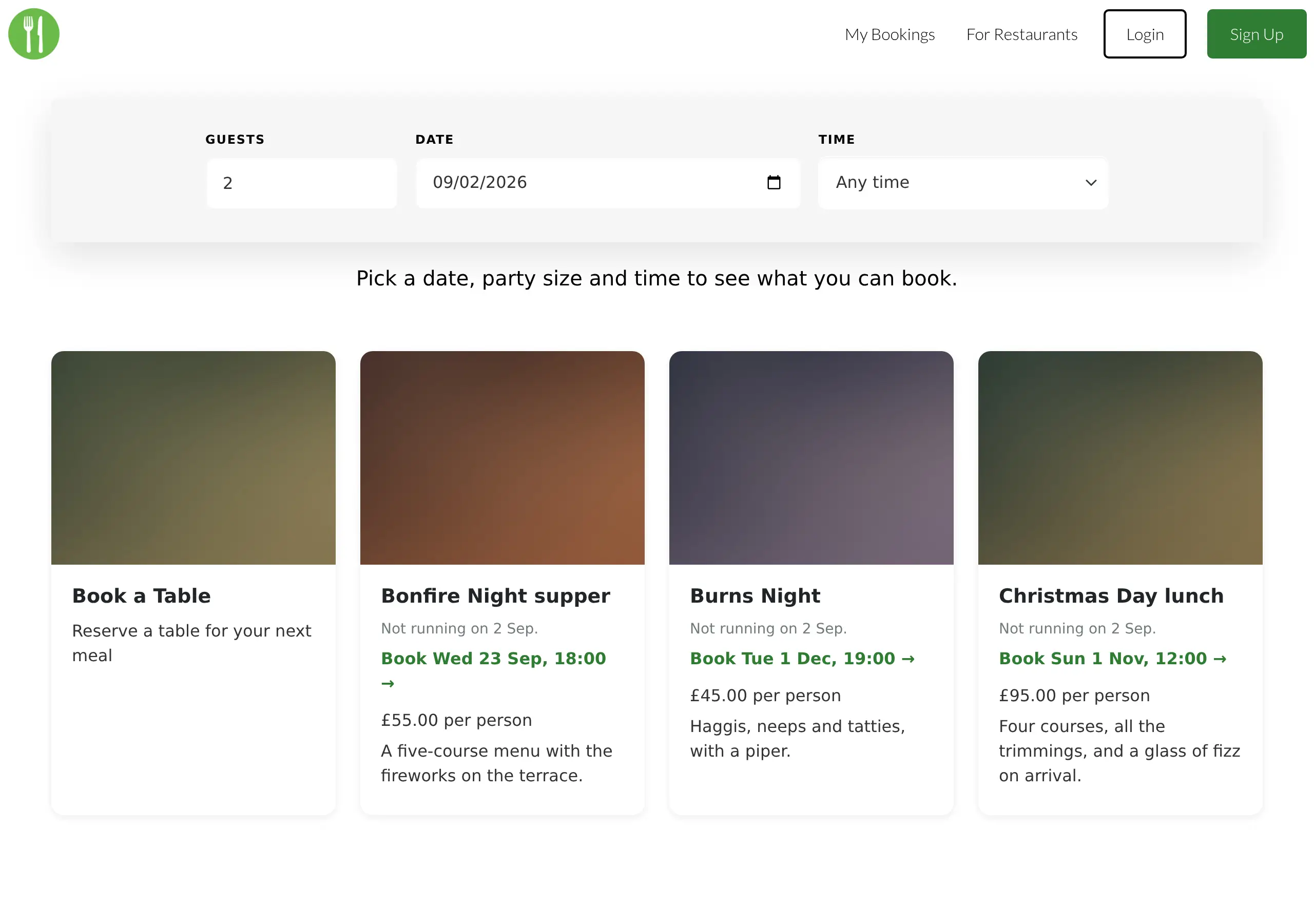
- A search bar for date, party size, and time, sitting on top of a background image of your choosing. The times offered come from your availability and current bookings. A guest can leave the time as Any time and pick one when they book.
- A "Book a Table" card and an event card for every published event you have created under Creating an event, shown below the search. Every published event is listed whatever date and time the guest has picked; an event the guest cannot book right now says why (for example, it is not running that day, the party is too large, or it is fully booked) and, where there is a later slot, offers to take them to it.
- Menu cards for any menus you have uploaded under Business details → Menus, shown below the booking cards.
Photos, your description, opening hours, contact details, and reviews are not shown on the Explore page — those live on the detail page. The Explore page is intentionally narrower so the guest can pick a time and book without distraction.
How diners reach it
A few common routes:
- From your own website. Create a button or link on your own website that points to your Explore page URL. This is the most common way diners reach the Explore page.
- Via your detailed listing page. Diners who find your detail page through the directory or a search engine can click through to your Explore page from there.
- Directly by link. The Explore page URL is stable and shareable, so paste it into your social profiles, email signatures, Google Business Profile, or anywhere else a guest might be looking for a way to book.
Operator-styled and Make a Rezzy-styled
The Explore page comes in two flavours:
-
Operator-styled at
/explore/<your-slug>/— uses the colours, fonts, and images you have set in the Explore configurator. This is the version operators link to from their own website, socials, and so on. -
Make a Rezzy-styled at
/explore/<your-slug>/makearezzy/— uses Make a Rezzy's default styling. Useful as a sanity-check reference if you have customised heavily and want to compare.
Both take real bookings and land them in the same diary. The styling is the only difference.
What you can customise — and where
The Explore page reads from two places:
- Business details for the content — specifically the menus shown on the page. Your name and the page's underlying address come from the same place. Edit under Business details.
- The Explore configurator for the look — brand colour, font, search-bar styling, menu card styling, background image, and custom CSS styling. See Editing your Explore listing.
Your detail page uses Make a Rezzy's default layout — it is not customisable in the same way. Its content comes from Business details (description, photos, menus, contact details), from your events, and from your guests' reviews. To improve how it looks, improve the content rather than the styling.
Where to go next
- Editing your Explore listing — colours, fonts, and images for the Explore page.
- Business details — the content shared between the detail page and the Explore page.
- Adding the widget to your site — putting a booking entry point on your own website.