Your opening hours tell Make a Rezzy when guests can book a table. If a night is not listed, the booking widget will not offer it, and your team will not see any spare slots in the diary.
For most restaurants the opening hours rarely change — set them once when you sign up, and only revisit them when your hours actually change.
How opening hours work in Make a Rezzy
Opening hours are not a single setting. They are the sum of the availability templates you create — one per day per band of time you take bookings. A restaurant that does lunch and dinner Monday to Saturday will have twelve templates: a lunch and a dinner band for each of those six days.
If a day has no template, you are not open for bookings that day. Simple as that.
Adding a template for your standard hours
- Sign in at manage.makearezzy.com.
- From the left-hand menu, open Availability.
- On the Templates tab, click Add on the day for which you want to create a template (recurring availability).
- Pick the start and end times, block size (the time between each booking slot - we recommend 15 minutes) and the floor plan to use for that period. See Services and meal periods for how to set up your availability templates.
- Click Save.
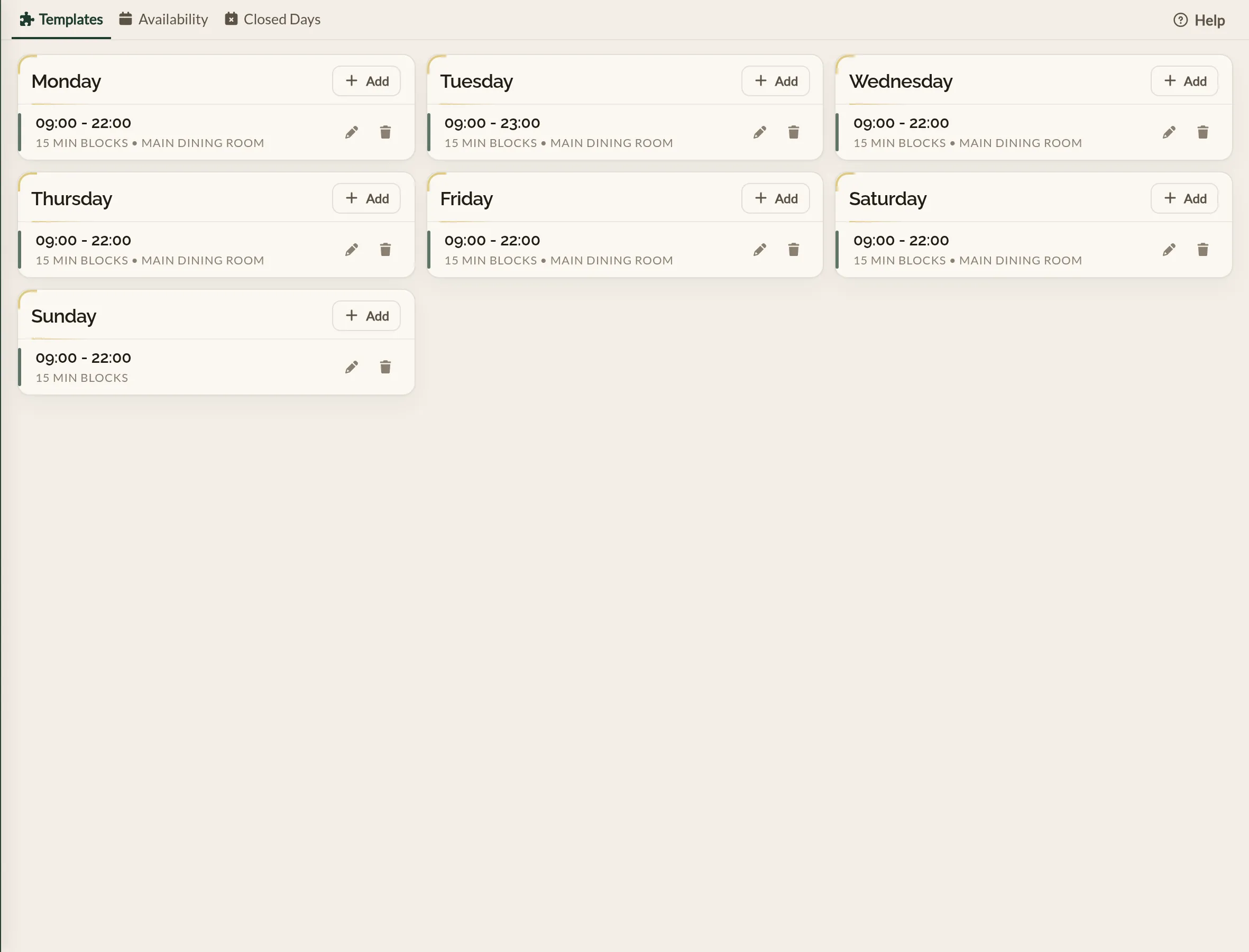
Repeat for every band of time you are open — see Services and meal periods for the detail on each form field and how to split a day into a separate lunch and dinner.
- Open the Make a Rezzy app and sign in.
- Tap Availability Settings, then the Templates tab.
- Tap Create.
- Pick the day, the start and end times, the block size (the time between each booking slot - we recommend 15 minutes) and the floor plan.
- Tap Create Template.
Repeat for every band of time you are open. See Services and meal periods for the detail.
Changes take effect straight away. Existing bookings outside the new hours are not affected — they stay in your diary.
Closing on specific days
Templates cover your normal week. For one-off closures — bank holidays, private hires, staff training days — use closing dates instead.
What guests see
On your booking widget and your restaurant listing, only the days and times you have a template for are shown. A guest looking for a Tuesday lunch when you are only open from Wednesday will not see booking options for Tuesday at all.