The Schedule section of the service form decides three things: which days the service runs, which start times guests can pick, and how many people can book each one. Getting the service type right first makes the rest fall into place.
The three service types
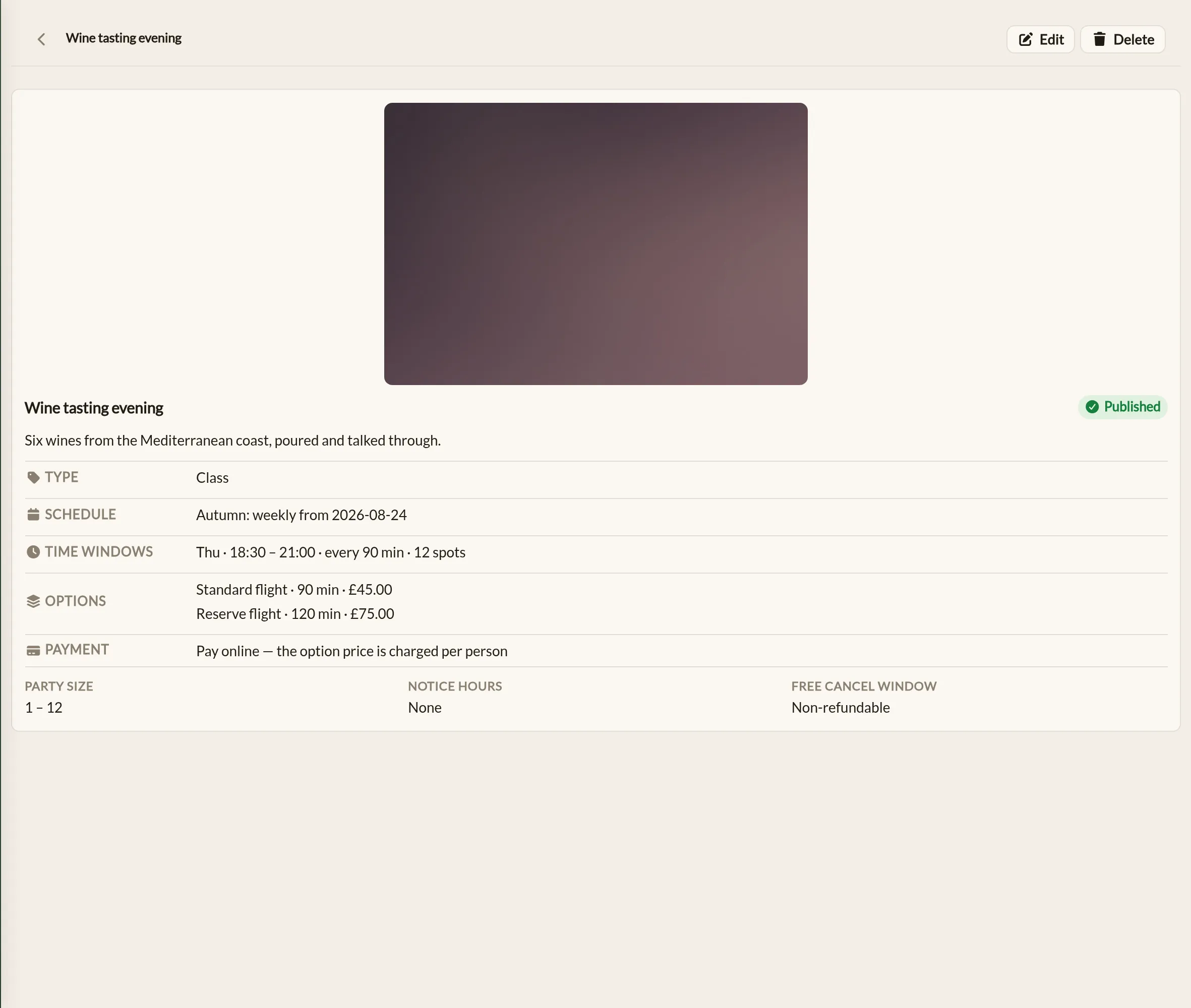
- Class — fixed sessions with a number of spots. Each time window is one session starting at the window's start time. An evening yoga class at 18:00 with 12 spots is a class.
- Appointment — bookable start times on an interval. Capacity is how many appointments can run at the same time. A massage bookable every 30 minutes across two treatment rooms is an appointment.
- Open access — entry times on an interval within a window. Capacity is how many guests can be in at once. A spa with entries on the hour and room for 15 people is open access.
Schedule periods
A service's schedule is a timeline of one or more periods. Each period covers a stretch of dates — a start date and an optional end date — and carries its own frequency and time windows. Most services need just one open-ended period. Periods must not overlap, and a gap between periods simply means the service does not run on those dates.
Within a period, pick how often the service runs:
- Weekly — runs on the days of the week set on each time window. The usual choice for a recurring timetable.
- Daily — runs every day of the period. Set the start and end dates to the same day for a one-off.
- Multiple dates — runs on the specific dates you add to a list.
Changing your schedule for a while
When the timetable changes temporarily — reduced summer hours, a festival fortnight — add a period for just that stretch rather than editing your normal pattern. End the normal period the day before the change, add the temporary period with its own windows, and add a period from the day after with the normal windows again. Everything switches over and back on the right dates by itself.
Each period's windows carry their own session team members too, so a different instructor can cover a class for the summer without touching the rest of the year.
Time windows
A time window is a band of time the service runs within on each active day — with a Start time, an End time, and a capacity. You can add as many windows as you need, and on a weekly schedule each window also has a Day, so a Tuesday timetable can differ from a Saturday one.
What the window means depends on the service type:
- Class — each window is one session, starting at the window's start time. Spots is the class size. Add one window per session — a 18:00 and a 19:30 class on the same evening are two windows.
- Appointment — guests can start every so many minutes through the window, set by Start every (minutes). At the same time is how many bookings can overlap — usually your number of rooms, chairs or stations. Who is free to take them is a separate check; see Availability and your team.
- Open access — guests enter on a cadence set by Entry every (minutes), and Capacity is how many guests the space holds at once.
The end time is the latest a booking may finish, not the last start. A 60-minute option in a 09:00–17:00 window has its last start at 16:00 — Make a Rezzy works this out for you, and only offers start times each option genuinely fits.
How capacity works
What capacity counts depends on the service type. For a class or an open-access service it counts guests: a booking for three people takes three spots. For an appointment it counts bookings: each booking is one party with one team member in one room, chair or station. Make a Rezzy checks capacity across everything that overlaps, so:
- A class stops taking bookings when its spots are gone — and guests see the remaining spots against each session time as they book.
- An appointment slot stops being offered when every room is taken for any part of it. Two 60-minute massages at 09:00 and 09:30 in a two-room setup mean the next bookable start is 10:30 — the overlap is handled for you. A couples massage for two still takes one room.
- Longer options need a longer clear run, so a date can have times available for a 30-minute option that a 90-minute option cannot fit into.
Capacity is a limit on what guests can book for themselves. When your team books a guest in, a full time is marked as full but can still be chosen — handy for squeezing a regular into a class. See Taking a booking by phone.
In the app, each class session shows how many of its spots are taken on the service's page under More → Services, and on the Diary's timeline. A full session reads Full in coral.
Availability and your team
Each service has an Availability setting with two choices:
- Follow the schedule — the time windows alone decide when the service can be booked. This is the default behaviour.
- Needs a free team member — a time is only offered while at least one team member assigned to the service is free to take it. Someone already serving another booking, committed to a class session, on booked time off or outside their working hours is not free — and a team member with Bookable online switched off never counts. See Adding your team for working hours and time off.
For classes, each time window can carry a Team member — the person who runs those sessions. Assigning someone commits them for every session, whether or not anyone has booked yet, so they will not be offered for appointments at the same time. With Needs a free team member switched on, a class session without an assigned team member is not bookable.
Appointment services can also let guests pick who serves them — switch on Customers choose their team member on the service form. Choosing a person narrows the offered times to that person's free times; choosing "No preference" keeps the full availability. Bookings made with no preference — and all online bookings when the setting is off — are assigned to an available team member automatically at the moment of booking, or left for you to allocate when nobody is free. Guests only ever see team members assigned to the service and marked bookable online.
The app shows the team's side of this: More → Team lists each member's working hours and time off for today, and a member's own day lists the appointments they are serving and the sessions they run. Working hours, time off and service assignments are changed on the web.
Clean-up time
Appointments can carry a Clean-up time (minutes) — turnover time after each booking during which the space is not bookable. A 60-minute massage with 15 minutes of clean-up occupies the room for 75 minutes, but the guest's booking still shows as 60.
How far ahead guests can book
Bookable times are offered as far ahead as the Days visible to customers setting on your business details, and no earlier than the service's Notice hours. Closed dates set under Availability are skipped.
Where to go next
- Creating a service — the rest of the service form.
- Closing dates and exceptions — closed dates apply to services too.