Everyone on your team chooses their own alerts and emails, separately for each business they manage. Everything is on to begin with, so you can leave these settings alone until something reaches you more often than you would like.
Where to find your settings
Open Alerts & emails from the menu on the left, under Management.
Open More, then Alerts & emails under Settings.
Changes save as you switch them. They apply only to you — a colleague's choices are their own, and nothing you change here affects what your guests receive.
The four kinds
Rather than a switch for every single thing that can happen, the settings group them into four kinds. One switch covers everything in its kind.
- New bookings — bookings made on your website, by phone or email, walk-ins, and bookings added directly.
- Changes — a booking confirmed, a party seated, a booking completed, and other edits to a booking.
- Cancellations and no-shows — a booking cancelled, however it was made, and a party marked as a no-show.
- Reviews — a guest leaves a review.
Push alerts and emails
Each kind has a switch for push alerts and, where that kind is emailed, a switch for emails. Push alerts arrive in the Make a Rezzy app on your phone; emails arrive at the address you sign in with.
Not everything is emailed. New bookings and cancellations are; changes to a booking and new reviews reach you by push alert only, and those kinds say so in place of an email switch. Where only some of a kind is emailed, the switch says how many.
If a switch is on but some of the things it covers were turned off individually, it shows as on with a note saying it is only partly on. Moving it switches everything in that kind together.
Push alerts also depend on your phone allowing them. If you said no when the app first asked, or turned them off later, the settings show a notice with a shortcut to your phone's settings so you can allow them again.
The weekly summary email
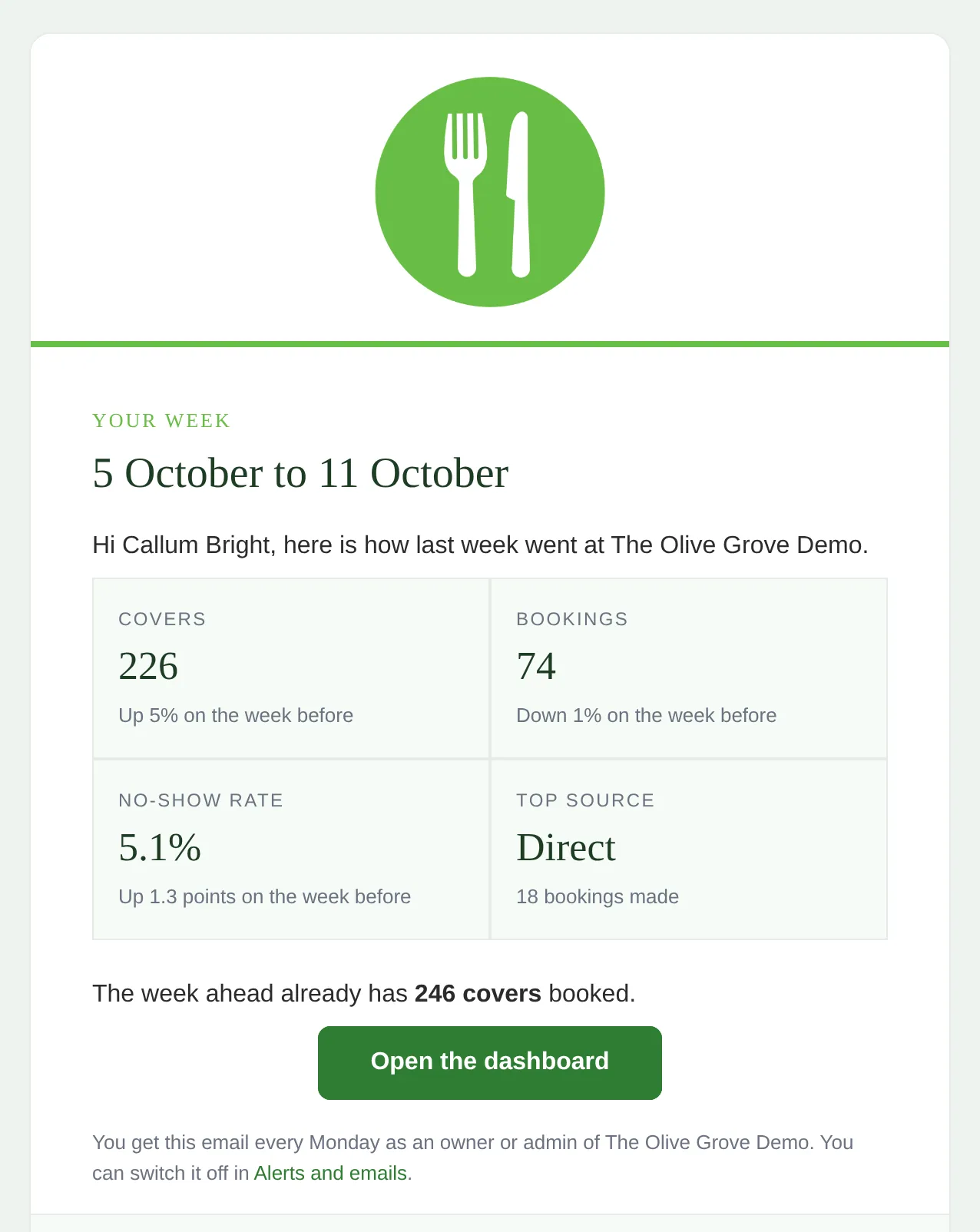
Owners and admins also get an email every Monday morning with last week's covers, bookings, no-show rate and top source, how each compares with the week before, and the covers already booked for the week ahead. It has its own card, Weekly summary, with an email switch only. Switch it off there if you would rather not get it.
The email is not sent in a week when the business had no bookings in either of the last two weeks. Staff members do not receive it.
Where to go next
- The Inbox — the running record of what has happened at your business.
- Booking confirmation emails — what your guests receive, which these settings do not change.
- Inviting your team — who can see what, and how roles work.
See also: Booking confirmation email templates