Two settings on every event decide how it sells: Limit type (how many bookings the event can take) and Payment type (how, if at all, guests pay). Each has four options. Pick the combination that matches what you are actually selling.
Limit type
Limit type controls when an event stops accepting bookings. Pick one of:
- Unlimited — the event takes as many bookings as guests want to make. Useful for things like a casual happy hour or a stand-up bar event where you do not need to count heads. Choose this only when you genuinely do not have a cap.
- Table — the event uses your normal table availability. A booking is taken if and only if there is a table that fits the party at the requested time, exactly like a regular booking. The right choice for a sit-down event running alongside your usual service.
- Pax — the event closes once a fixed number of guests have been booked across all bookings that day. Pairs with the Daily max pax field. Choose this for tasting menus, supper clubs, and anything else where the kitchen needs to know the total cover count up front.
- Booking — the event closes once a fixed number of bookings have been taken that day, regardless of party size. Pairs with the Daily max bookings field. Useful for a workshop or class where every booking takes one slot, no matter how many guests are on it.
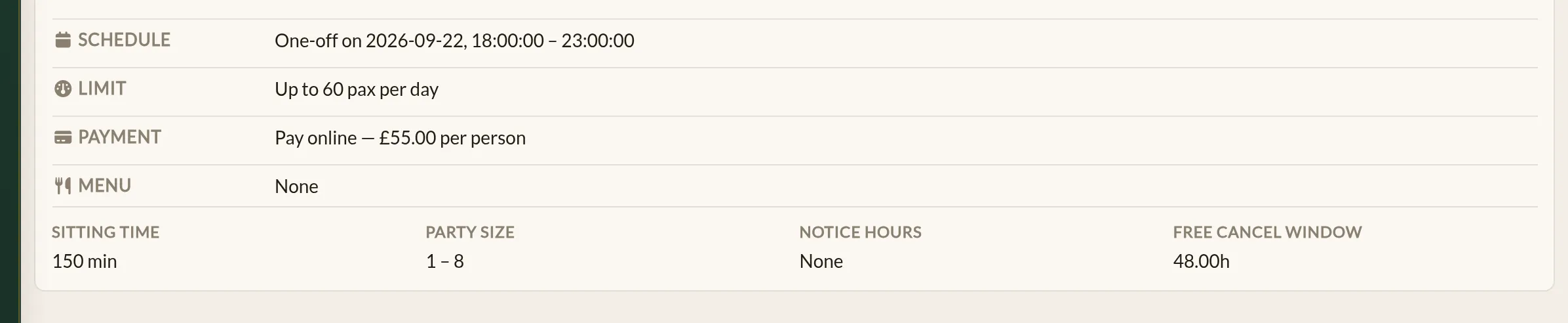
The Daily max field only appears once you have picked Pax or Booking — it would not do anything for the other two options.
Payment type
Payment type controls whether guests pay when they book, on arrival, or not at all. Pick one of:
- Free — no money changes hands. The event is free to attend.
- Pay on arrival — guests book without paying and settle up at the restaurant.
- Pay online — the full ticket price is taken at booking time. Pairs with the Price per person field. The amount charged is the price multiplied by the party size.
- Deposit — a per-guest deposit is taken at booking time, with the balance settled at the restaurant. Pairs with the Deposit per person field. The amount charged is the deposit multiplied by the party size.
The price or deposit field only appears once you have picked the matching payment type.
Free cancellation window
For Pay online and Deposit events, an extra field appears: Hours before booking for free cancellation. This is how many hours before the event a guest can cancel and get a full refund. Leave it blank and the booking is non-refundable.
Free and Pay-on-arrival events do not need this field — there is no money on the line to refund.
Notice hours
Sitting in the Event Details section is a related setting: Notice hours. It is the minimum lead time you need before a booking can be made — for example, 24 hours of notice for a tasting menu so the kitchen can prep.
Notice hours work alongside the Limit type. An event might have spare capacity but still refuse a booking because the notice window has not been met.
Worked examples
Tasting menu, every Friday, 30 covers a night, £75 a head
- Limit type: Pax, Daily max pax: 30
- Payment type: Pay online, Price per person: 75.00
- Hours before booking for free cancellation: 48
- Notice hours: 48 (so the kitchen knows numbers)
Cookery class, 8 places per session, £20 deposit
- Limit type: Booking, Daily max bookings: 8
- Payment type: Deposit, Deposit per person: 20.00
- Hours before booking for free cancellation: 24
Casual happy hour, no booking required
Probably does not need to be a booking at all, but can be great for added visibility:
- Limit type: Unlimited
- Payment type: Free
Where to go next
- Creating an event — the full form walk-through, with the two sections covered here in the wider context.
- Linking a menu to an event — attaching the menu the price tag is paying for.
- Deposits and refunds — the equivalent settings for regular bookings, for comparison.
See also: Restaurant events and ticketing