The Payment section of the experience form decides how, if at all, guests pay when they book a dining event, a class, an appointment or an open session, and whether they can cancel for a refund. Pick the combination that matches what you are selling.
Payment type
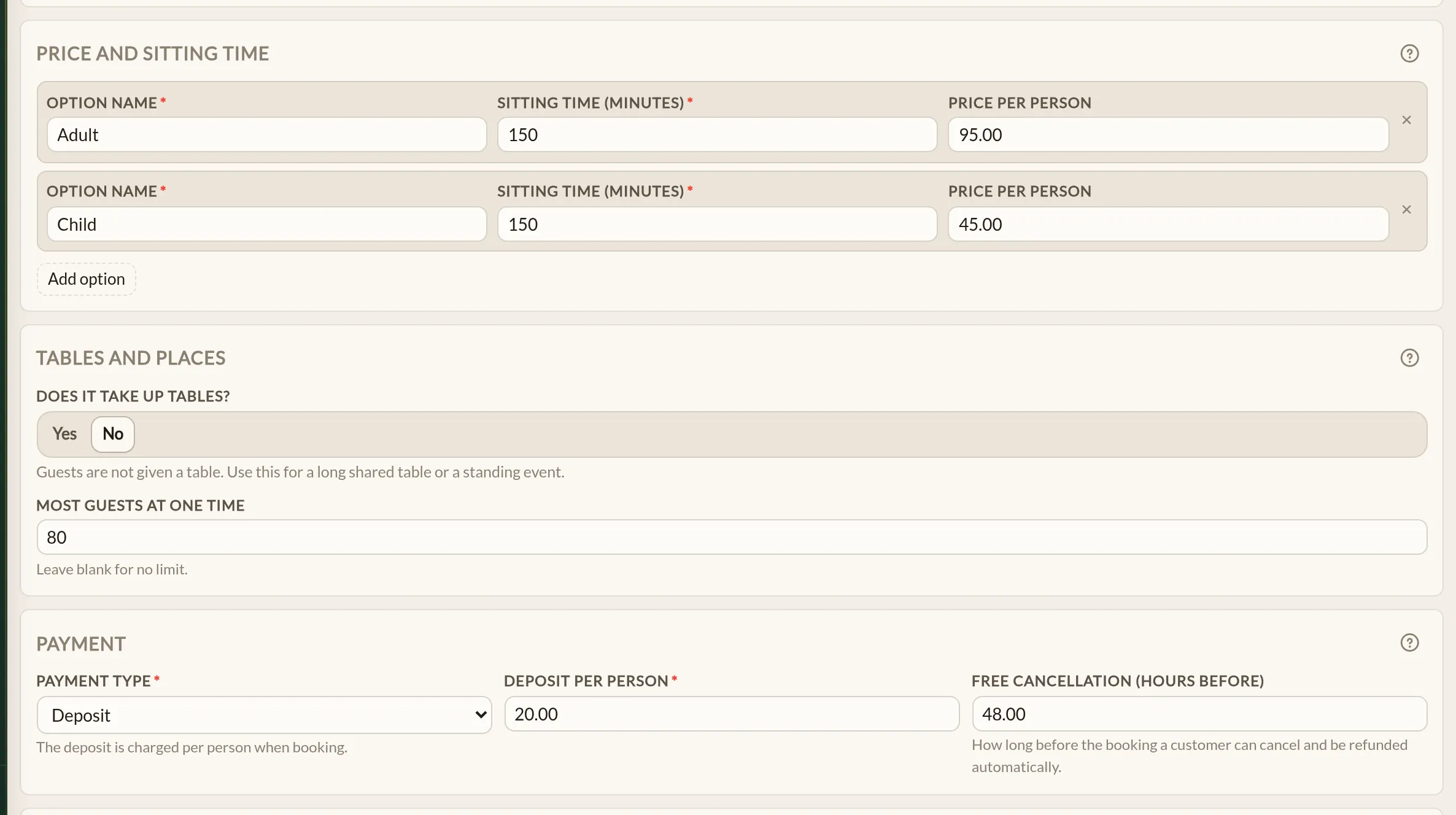
Payment type controls whether guests pay when they book, on arrival, or not at all. Pick one of:
- Free — no payment is taken and no price is shown.
- Pay on arrival — prices are shown, and guests book without paying and settle up at the venue.
- Pay online — the full price is taken at booking time. The amount charged is the option's Price per person multiplied by the party size, so every option needs a price.
- Deposit — a per-guest deposit is taken at booking time, with the balance settled at the venue. The amount charged is the Deposit per person multiplied by the party size.
Prices themselves are set on each option, under Price and sitting time on a dining event or Pricing & Duration on the other types — see Creating an experience.
Free cancellation window
For Pay online and Deposit, an extra field appears: Free cancellation (hours before). This is how many hours before the booking a guest can cancel and get a full refund. Leave it blank and the payment is non-refundable.
Free and Pay on arrival do not need this field — there is no money on the line to refund.
Notice hours
In the details section at the top of the form is a related setting: Notice hours. It is the minimum lead time you need before a booking can be made — for example, 48 hours of notice for a tasting menu so the kitchen can prepare.
Notice hours work alongside how many guests you can take. An experience might have room to spare but still refuse a booking because the notice window has not been met. Your team can still book a guest in inside the notice period.
How many guests you take
How many guests an experience can take is set elsewhere on the form: a dining event either takes up tables or has a Most guests at one time, and the other types set a number on each time window. See Tables, experiences or both and Schedules and capacity.
Worked examples
Tasting menu, every Friday, 30 guests at a time, £75 a head
Set this up as a Dining event:
- Does it take up tables: No, Most guests at one time: 30
- Payment type: Pay online, Price per person: 75.00
- Free cancellation (hours before): 48
- Notice hours: 48 (so the kitchen knows numbers)
Cookery class, 8 places per session, £20 deposit
Set this up as a Class:
- Spots on each session: 8
- Payment type: Deposit, Deposit per person: 20.00
- Free cancellation (hours before): 24
Shrove Tuesday pancake lunch, paid on the day
Set this up as a Dining event that runs alongside your usual lunch:
- Does it take up tables: Yes
- Payment type: Pay on arrival, Price per person: 12.00
Where to go next
- Creating an experience — the full form walk-through, with the Payment section in the wider context.
- Linking a menu to an experience — attaching the menu the price is paying for.
- Deposits and refunds — the equivalent settings for table bookings, for comparison.
See also: Restaurant events and ticketing